Clear out what your Mac doesn't need
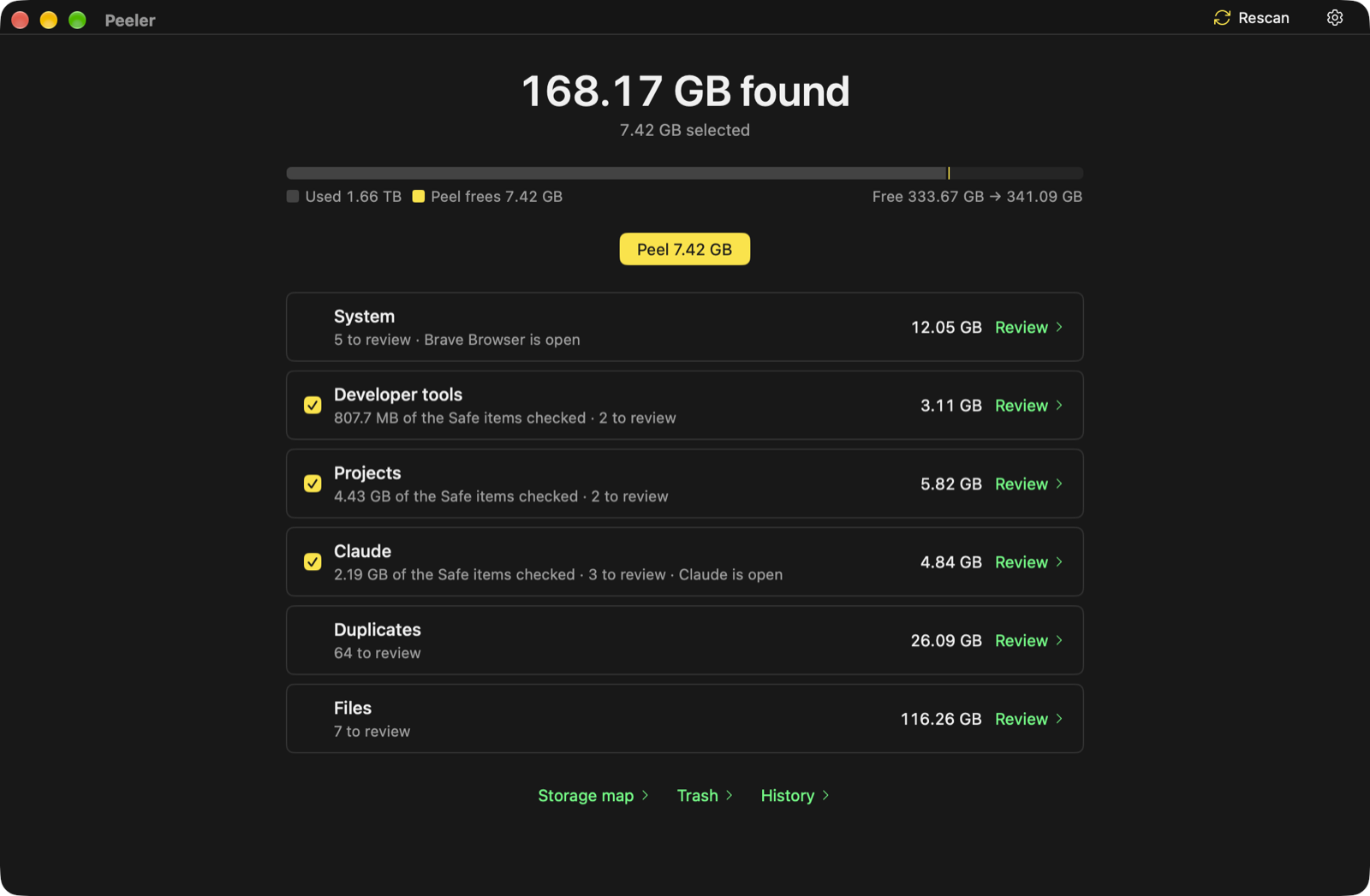
Peeler finds the caches, rebuildable project folders, finished Claude worktrees, duplicates, screenshots and old downloads taking up your disk. It says why each one is safe to remove, and shows you everything before anything goes.
macOS 15 or later · Apple silicon and Intel
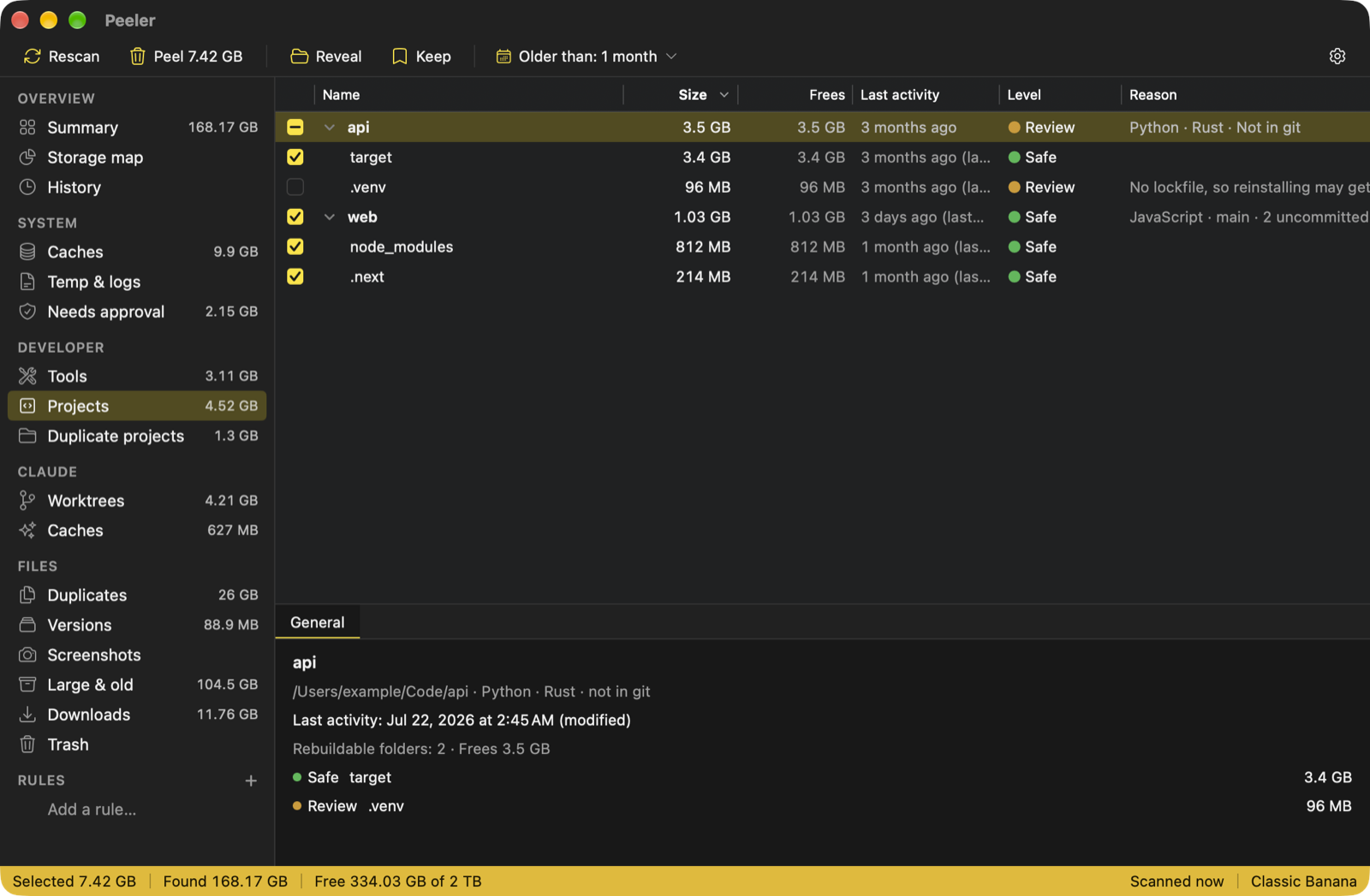
Everything it clears, with the reason
Scanning reads and removes nothing. Peeling always shows a summary first.
-
Caches and temp files
Browser and app caches, logs and temp files. An app that's open keeps its cache until you quit it; Peeler asks, and never force-quits.
-
Developer tools
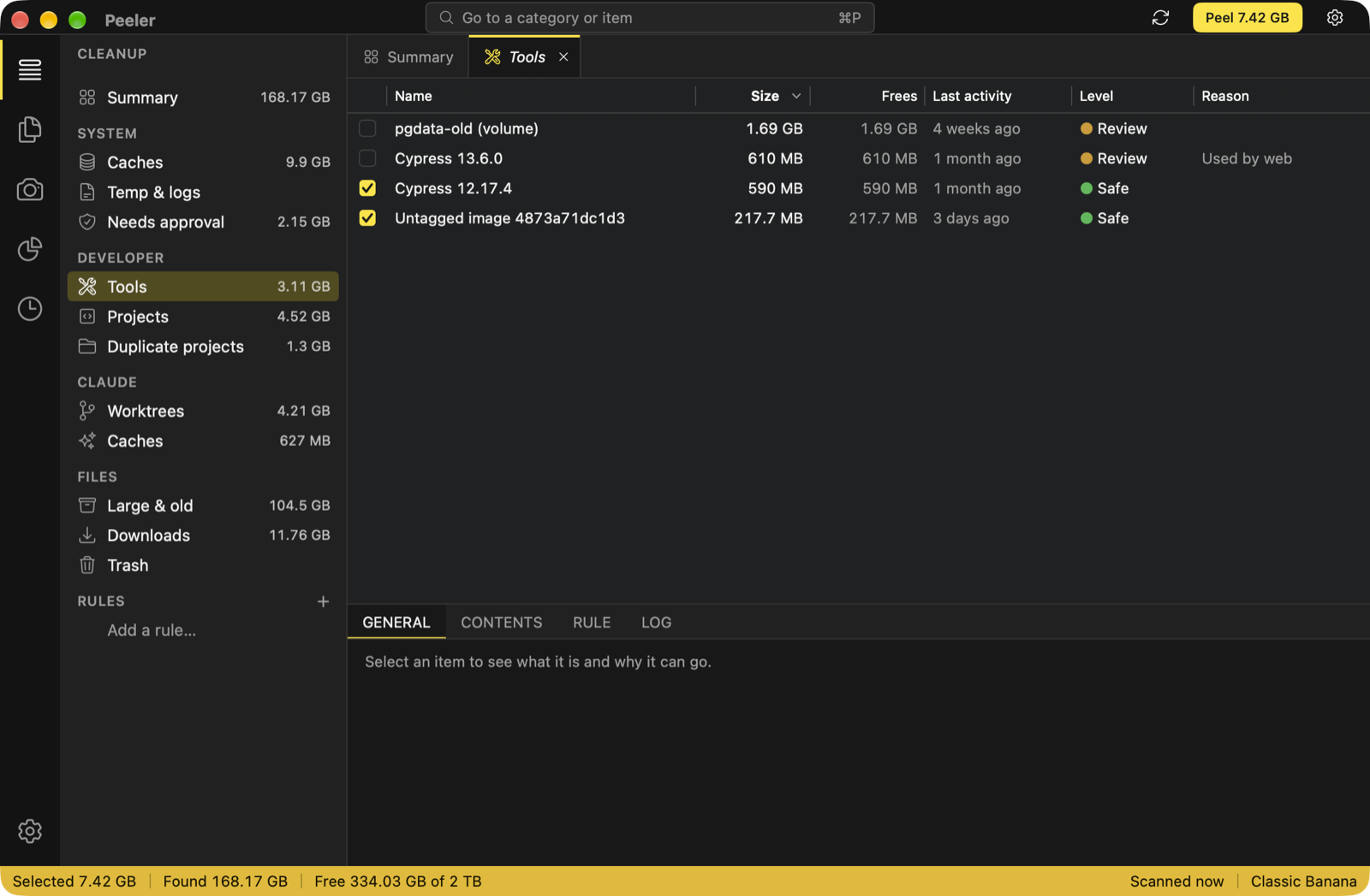
npm, pnpm, Cypress, Playwright, Xcode DerivedData, Gradle, Cargo, Homebrew and Docker's build cache: things those tools download again when they need them.
-
Coding projects
node_modules, .venv, target and build folders: only the parts that rebuild, and never a folder committed to git. Copies of the same project are grouped side by side.
-
Claude worktrees
Agent worktrees whose work is finished or has landed. One that still has work can be saved as a patch first, or just have its rebuildable folders cleaned. Nothing goes while something is working in it.
-
Duplicates and versions
Identical files and folders, and files named like versions of one another. Keep one copy, or store them once as APFS clones with nothing deleted.
-
Screenshots
Every screenshot and screen recording, in a grid you cull with the keyboard, with Quick Look on Space.
-
Large, old files and installers
Big files you haven't opened in months, and old disk images and installers in Downloads, noting which apps you already have.
-
The Trash
Everything Peeler moves to the Trash can be put back from History for 30 days.
What Peeler never touches
Only things tools rebuild are deleted outright. Everything else goes to the Trash. Right before anything is removed, Peeler checks again that it's the same file, its reason still holds, its app isn't running and nothing is using it.
- macOS itself, and other people's folders
- Your Applications folder
- The Photos, Music, Mail and Messages libraries
- Time Machine backups
- iCloud files that aren't on this Mac
- What's inside mounted disk images
- Your git history: only finished worktrees and merged branches
One app, three layouts
Pick one when you first open Peeler, and switch any time. Your results stay where they are.
Every Banana theme
Peeler has all 20 Banana themes: nine palettes in dark and light, plus high contrast. Try a few on this page.
Private by design
-
No telemetry
Nothing about you, your files or how you use Peeler leaves your Mac. The only thing it sends is the once-a-day update check, and it asks before turning that on.
-
History stays here
What was freed, and when, is kept on your Mac. Paths are dropped after 30 days.
-
Full Disk Access is optional
Without it, Peeler still finds most things; macOS asks once each before it reads your Desktop, Documents and Downloads.

Get Peeler
For macOS 15 Sequoia or later, on Apple silicon and Intel.
SHA-256 of :
Signed with a Developer ID and notarized by Apple. Updates come from inside the app.